What you get: Something not working? Two taps send us a screenshot and your words — and we reply.
About 1 minute
Why it matters
Describing a problem in words is hard. A screenshot of exactly what you see — plus the page and any error message — lets us find and fix it quickly.
Ideas and questions are welcome too: Kanakupuli grows from what members ask for.
How it works
- 1On any page, press the Feedback button at the bottom right. It takes a picture of your screen (the button itself is left out).
- 2Choose Problem, Idea or Question and write what happened and what you expected.
- 3Check the screenshot. Untick it if it shows something private, or press Use my own picture instead (for example a screenshot from your phone).
- 4Press Send. You can follow it in My reports — when we reply or fix it, you see our answer there and get an email.
- 5If a page ever shows “Something went wrong”, press Report this problem on that page — the error details are added for us automatically.
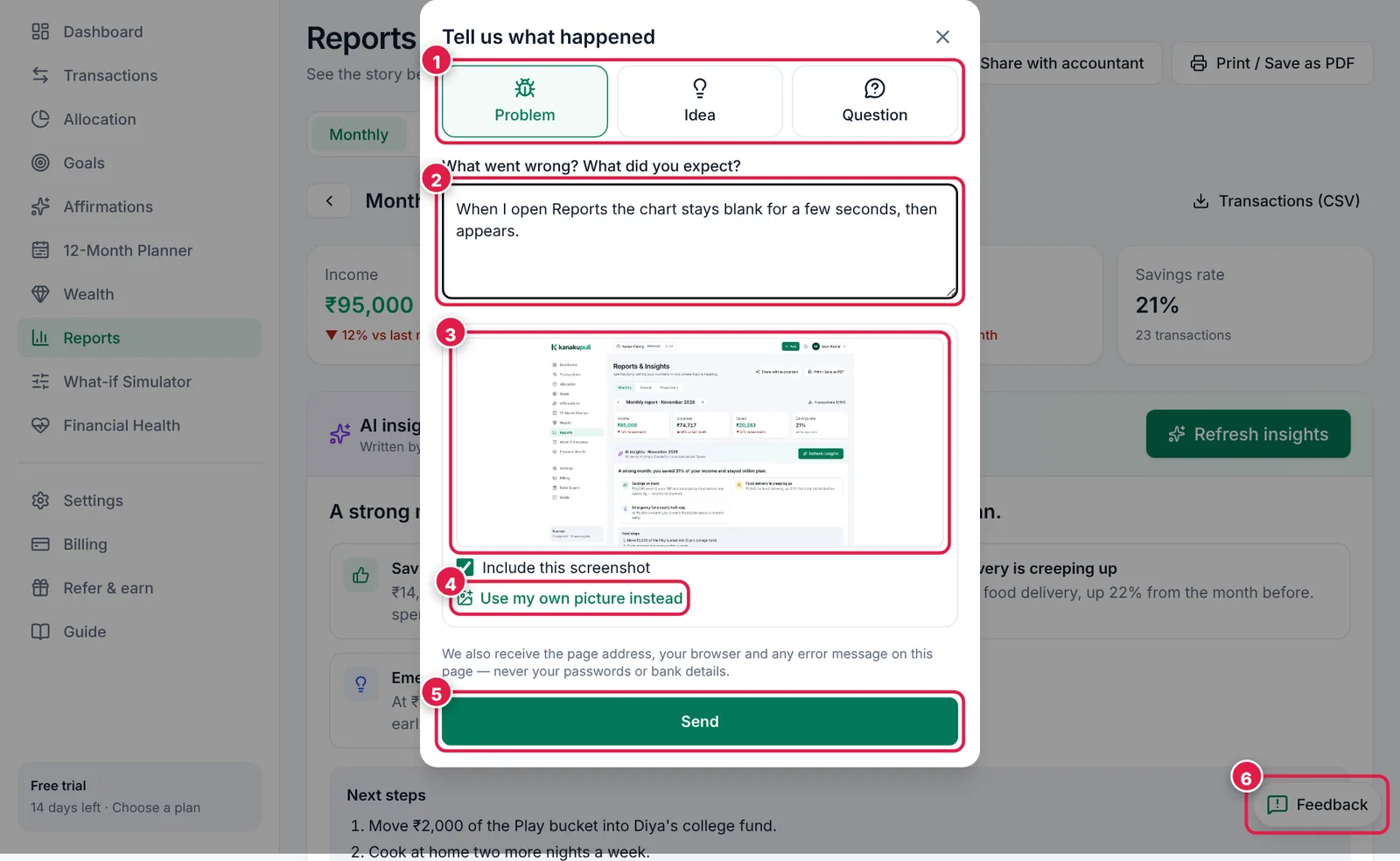
Tell us what happened — the screenshot is already attached.
- 1. Problem, Idea or Question.
- 2. What happened and what you expected.
- 3. The screenshot of your screen — untick to leave it out.
- 4. Or attach your own picture.
- 5. Send.
- 6. The Feedback button, on every page.
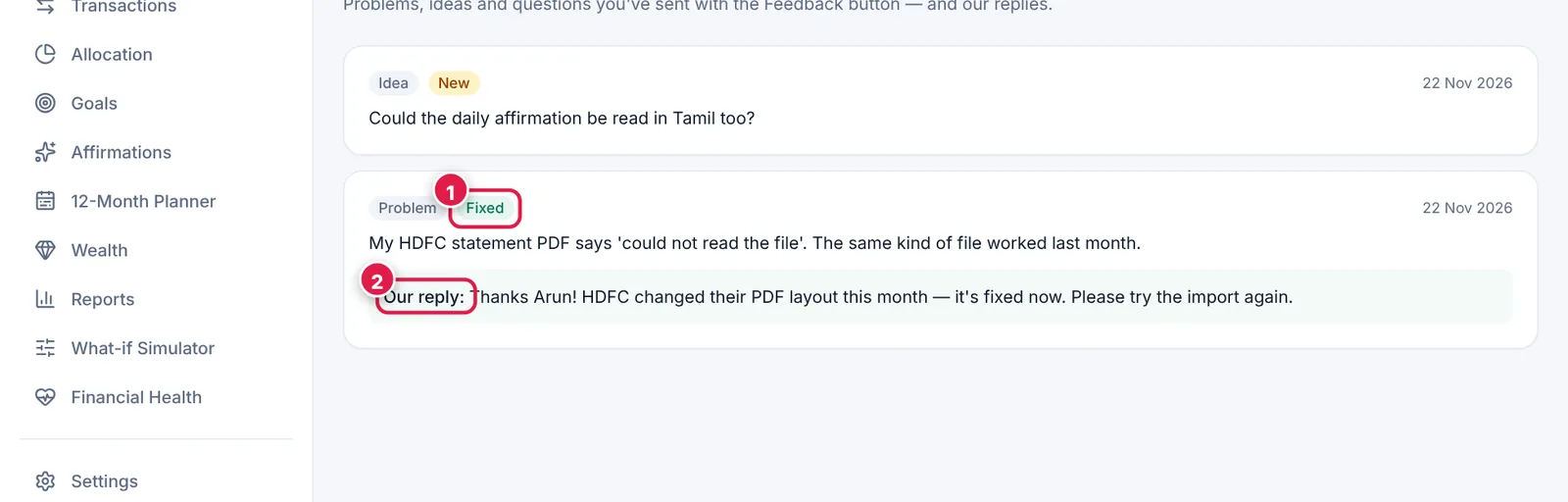
Your reports and our replies.
- 1. Status: New, Working on it, Fixed.
- 2. Our reply.
Ready? It takes about 1 minute.
Start your free trial