What you get: Start from your real numbers, so every report and balance matches your bank from day one.
About 15 minutes
Why it matters
Advice built on guesses is useless. When Kanakupuli starts from your actual bank history, your balances, reports and Financial Health score are true — and you'll trust what you see.
Most people start from 1 April, so the whole financial year is in one place — handy at tax time.
How it works
- 1Open Get started (from Settings → Bring your history, or the reminder on your dashboard).
- 2Choose where your records start — 1 April is a good default.
- 3Add your bank accounts and cards (Chapter 3). Also add a Savings account (FD/RD/emergency fund) and an Investments account (SIPs, stocks) — money moved there counts as saved, not spent.
- 4Upload statements from that date to today for each account (Chapter 6). Several statements at once is fine; repeated entries are spotted automatically.
- 5Check each balance against your bank (Chapter 8). Green tick = perfect match.
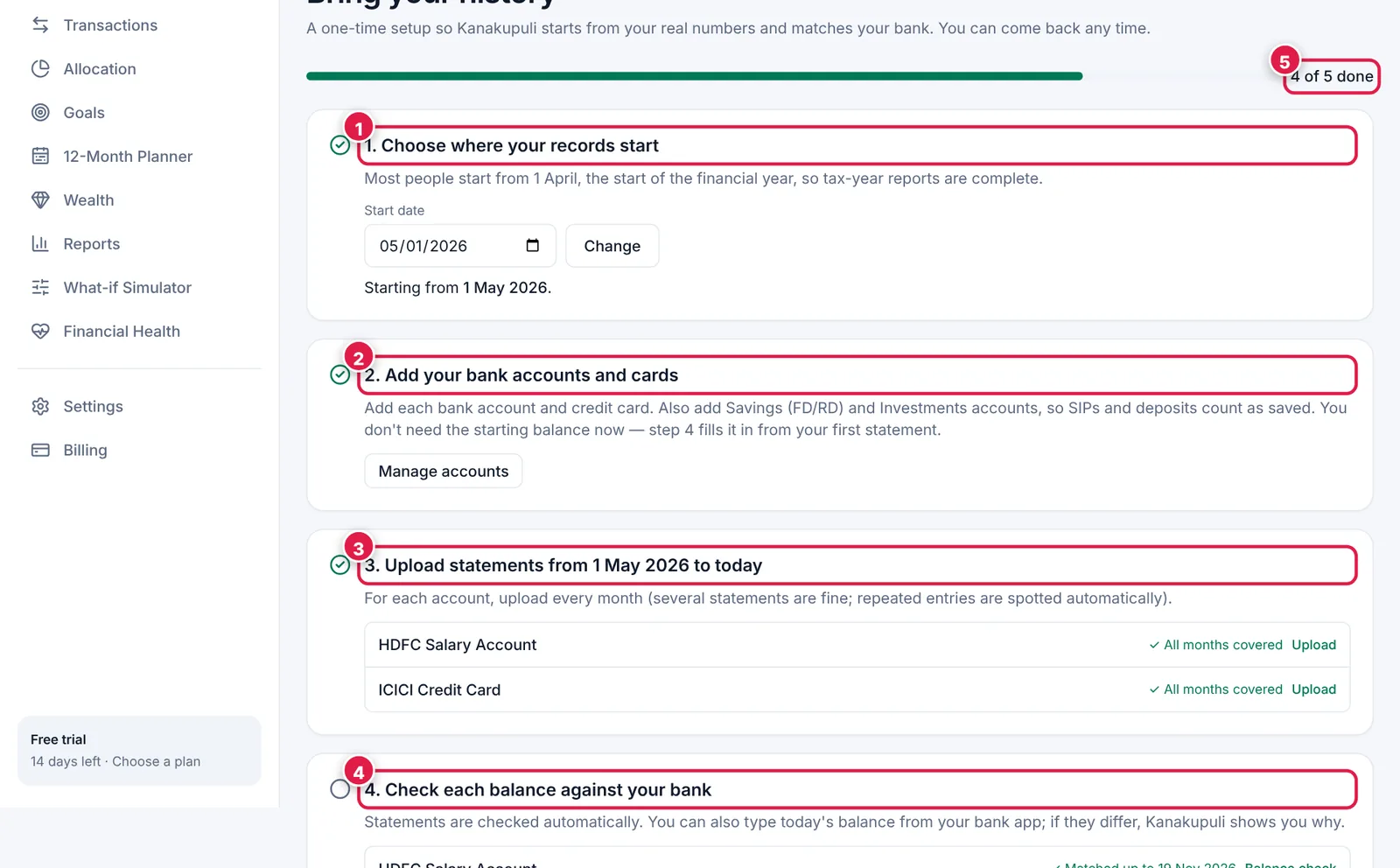
Five steps with a progress bar, so you always know what's left.
- 1. Choose your start date.
- 2. Add your bank accounts and cards.
- 3. Upload statements — each account shows “All months covered” when done.
- 4. Check balances against your bank.
- 5. Your progress.
Ready? It takes about 15 minutes.
Start your free trial