What you get: Ten seconds per entry. Over a month, you'll know exactly where every rupee went.
About 2 minutes
Why it matters
Small, frequent spends are the ones that surprise us. ₹200 a day on snacks and deliveries is ₹6,000 a month — ₹72,000 a year. You can't fix what you can't see.
Every entry also feeds your allocation buckets, goals and reports — you write it once and it's used everywhere.
How it works
- 1Press Add transaction (top of the dashboard, or the green + on your phone).
- 2Choose Expense, Income or Transfer. Use Transfer when money moves between your own accounts — paying the credit card bill, an ATM withdrawal, or a SIP to your Investments account.
- 3Type the amount, choose the account and category, and check the date.
- 4Press Save transaction — or Save & add another when entering a few in a row.
- 5On the Transactions page, move between months, search, filter, edit — or tick several rows to change their category or delete them together.
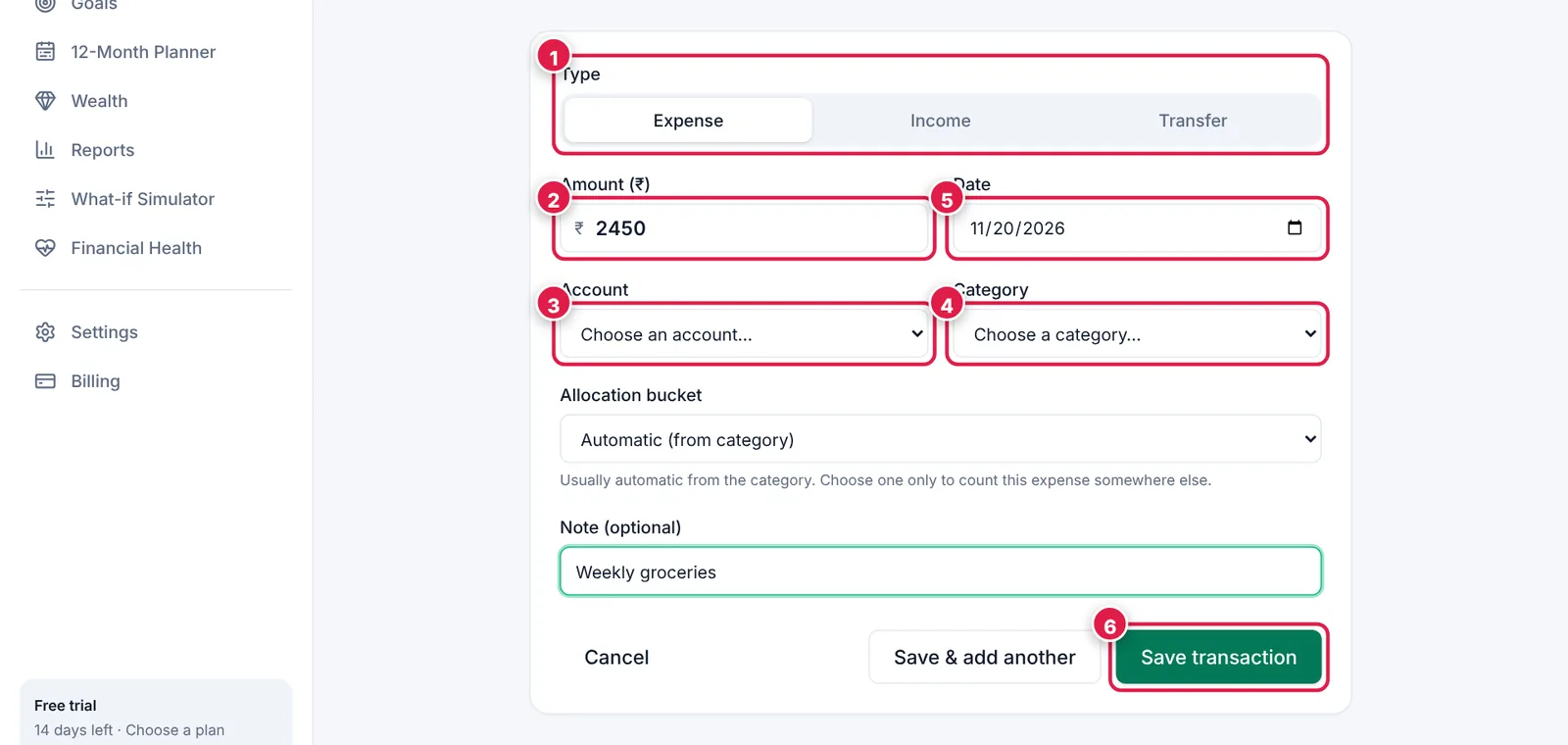
The add form: six fields, done in seconds.
- 1. Type: Expense, Income or Transfer.
- 2. Amount in ₹.
- 3. Which account paid (or received).
- 4. Category (e.g. Food › Groceries).
- 5. Date — today by default.
- 6. Save.
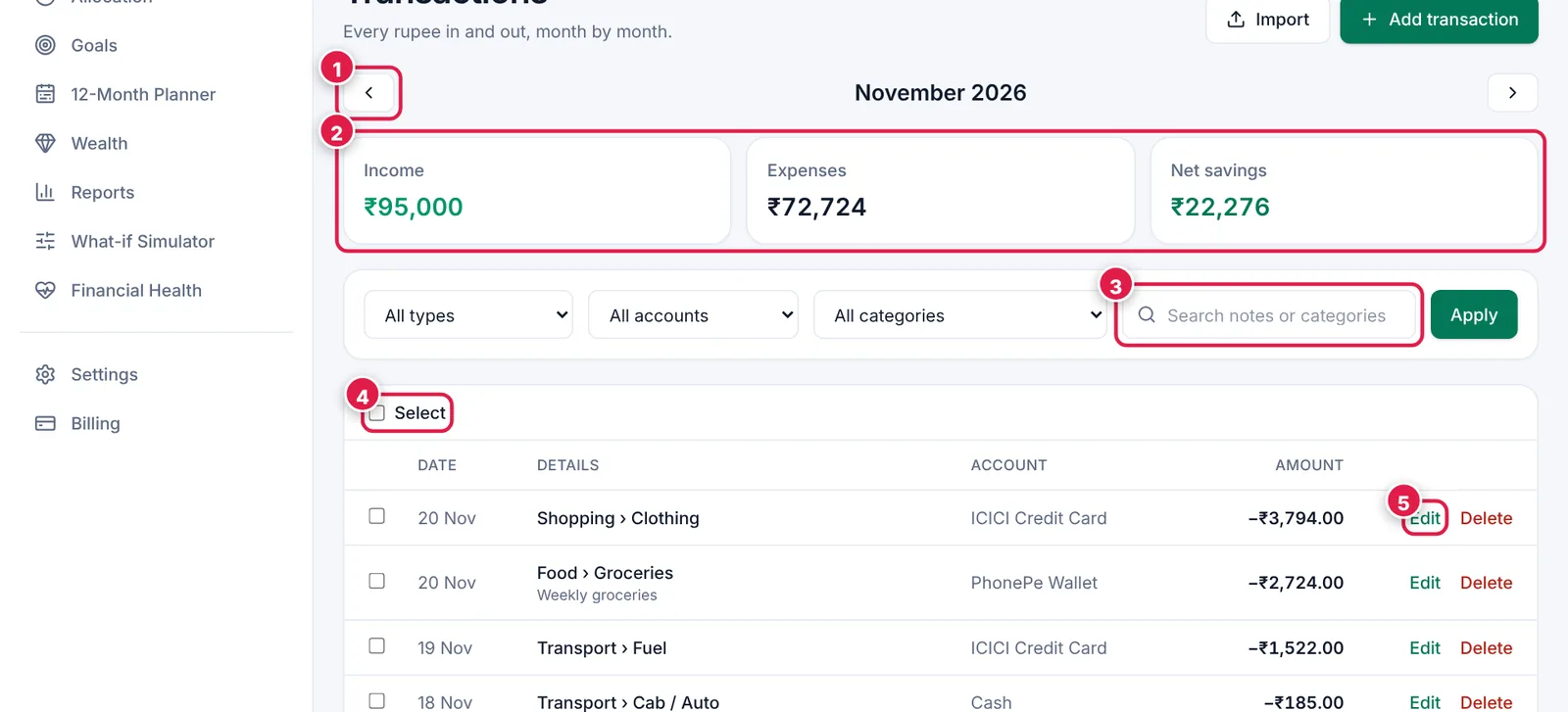
Your full history, month by month.
- 1. Switch month.
- 2. Income, expenses and net savings for the month.
- 3. Search notes or categories; filter by type, account or category.
- 4. Select several rows to re-categorise or delete in one go.
- 5. Edit any entry.
Example
Groceries ₹2,450 from PhonePe → Expense · Food › Groceries.
Credit card bill ₹18,200 from HDFC to ICICI card → Transfer (it's not new spending — the card purchases were already counted).
Ready? It takes about 2 minutes.
Start your free trial