What you get: Plan the whole year once; see every month how reality compares.
About 10 minutes
Why it matters
Big expenses aren't surprises — school fees, insurance renewals, festivals and trips come every year. Planning them in advance turns a stressful month into a planned one.
Green means better than plan, red means worse — so you know exactly where to adjust.
How it works
- 1Open 12-Month Planner and press Edit plan.
- 2Enter planned income, expenses and savings for each month (copy from last year's actuals to start).
- 3Switch between Calendar year and Financial year (Apr–Mar).
- 4Use Detailed (by category) for a line-by-line annual budget, and export it to Excel.
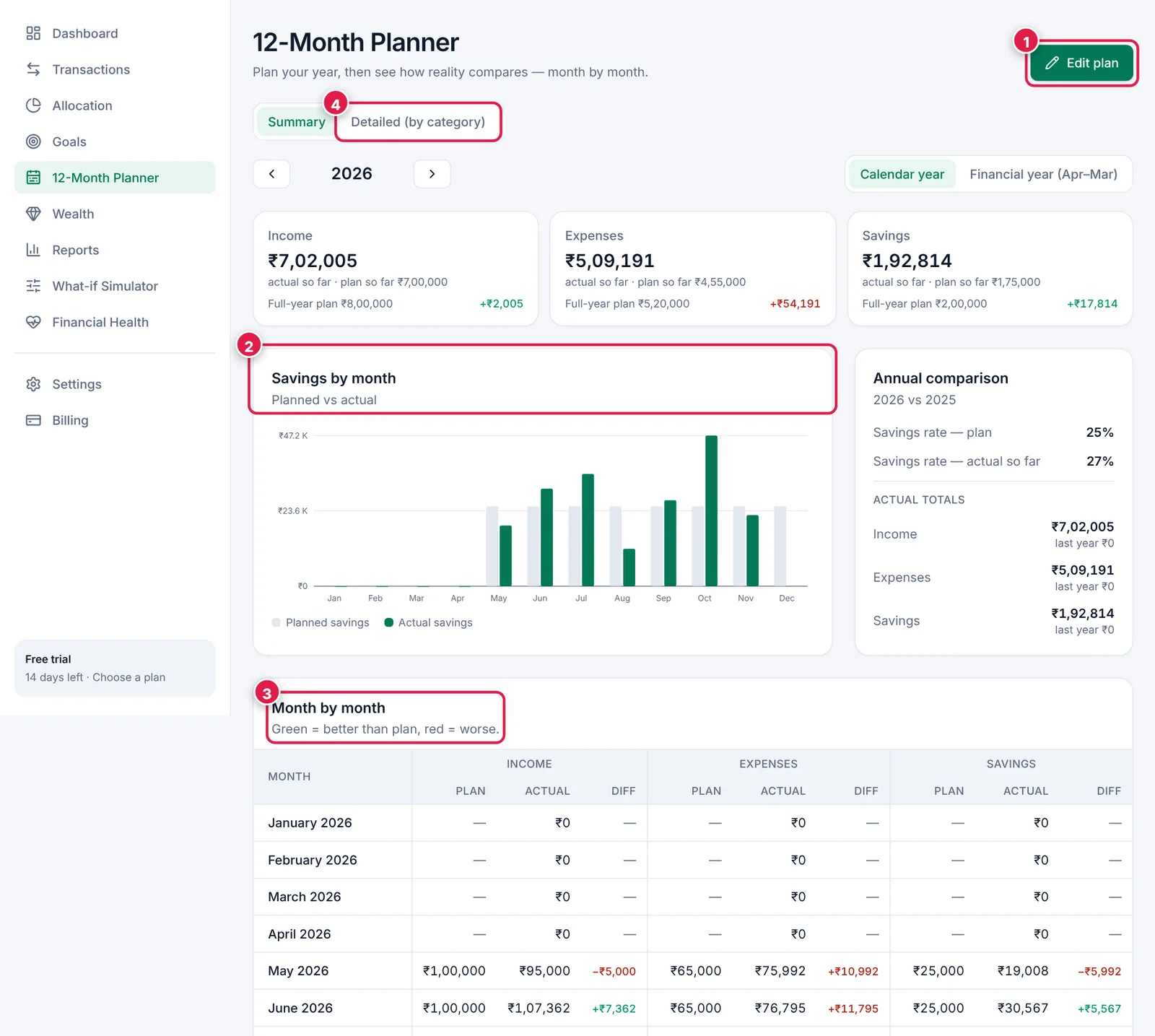
Plan vs actual, month by month.
- 1. Edit plan.
- 2. Savings by month — planned vs actual.
- 3. Month by month table: green = better than plan, red = worse.
- 4. Detailed view by category.
Ready? It takes about 10 minutes.
Start your free trial