What you get: Tax season in minutes: one Excel file your CA can use straight away.
About 2 minutes
Why it matters
Instead of forwarding a pile of statements, send one clean Excel with a summary by category and every transaction with debit and credit columns — the format accounting software like Tally, Zoho Books and ClearTax can import.
How it works
- 1Reports → Share with accountant.
- 2Choose the period — This FY, Last FY, this month or your own dates.
- 3Tick the accounts and categories to include (leave all unticked to include everything).
- 4Check the preview totals and press Download Excel (or CSV). Email or WhatsApp it to your accountant.
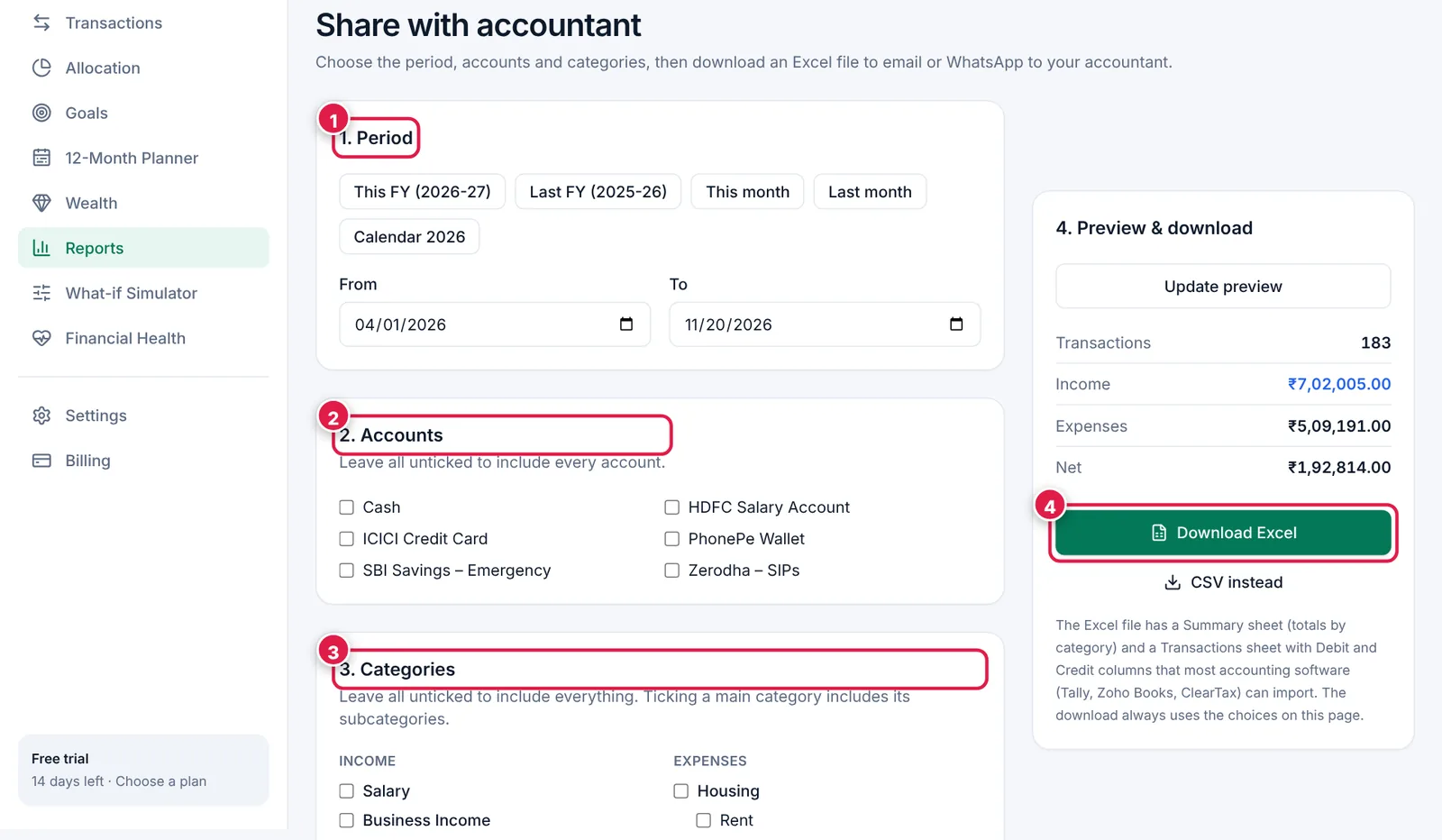
Four steps to a clean file.
- 1. Period.
- 2. Accounts to include.
- 3. Categories to include.
- 4. Download Excel.
Ready? It takes about 2 minutes.
Start your free trial