What you get: Peace of mind: if Kanakupuli says ₹1,52,206, your bank says ₹1,52,206.
About 1 minute
Why it matters
A tracker you can't trust is a tracker you stop using. The balance check compares Kanakupuli with your bank on any date and, if they differ, shows the likely reason — a missing statement, a skipped row or a wrong opening balance.
How it works
- 1Go to Transactions → Accounts and press Balance check next to an account.
- 2Type the balance your bank app shows (for a credit card, the amount you owe) and the date.
- 3Press Check. Green = matched. If not, follow the suggestion — or fix the starting balance in one click.
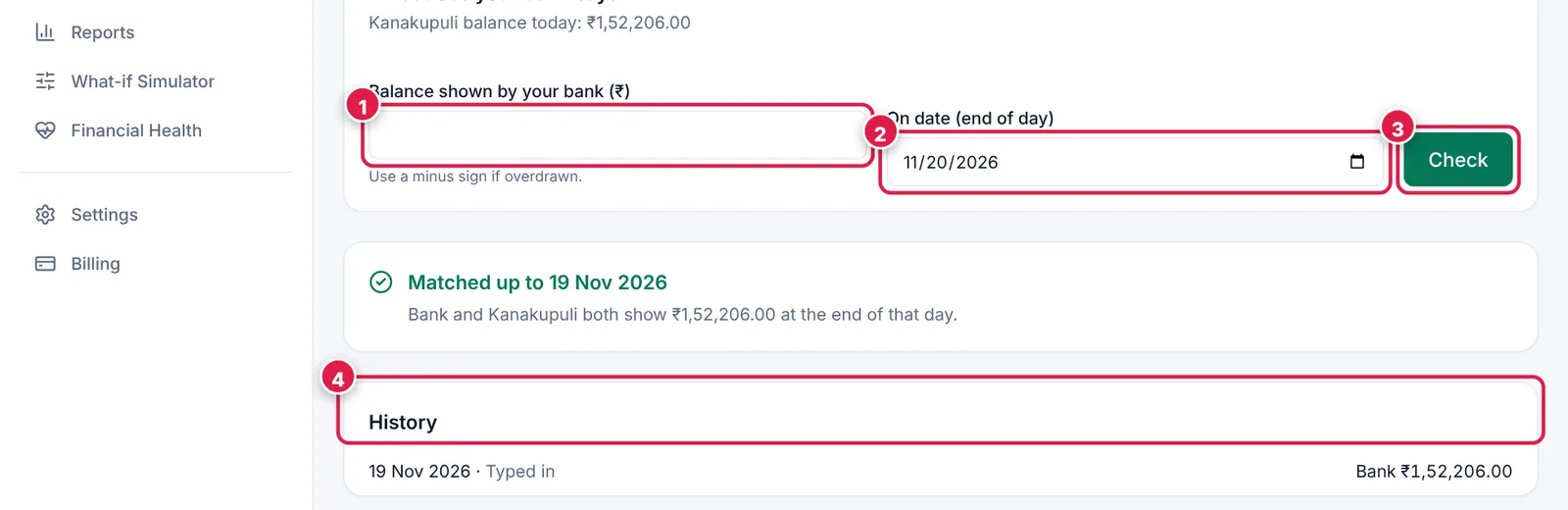
Two numbers in, one clear answer out.
- 1. Balance shown by your bank.
- 2. On which date (end of day).
- 3. Check.
- 4. History of past checks.
Ready? It takes about 1 minute.
Start your free trial