What you get: See every bank, card, wallet and cash balance — and your true total — in one list.
About 3 minutes
Why it matters
Money hides in many places: a salary account, a credit card, PhonePe, cash in the wallet. When they're all in one list, you instantly know what you really have.
Credit cards are tracked as money you owe, so your total is honest — not just the nice-looking bank balance.
How it works
- 1Go to Transactions → Accounts.
- 2Type a name you'll recognise, e.g. “HDFC Salary Account”.
- 3Choose the type: Bank, Savings (FD/RD/emergency), Investments (SIPs, stocks, PPF), Cash, Credit card, Wallet/UPI.
- 4Enter the opening balance — the balance before your first entry (use a minus sign for card dues, e.g. -5000).
- 5Press Add account. Repeat for each account.
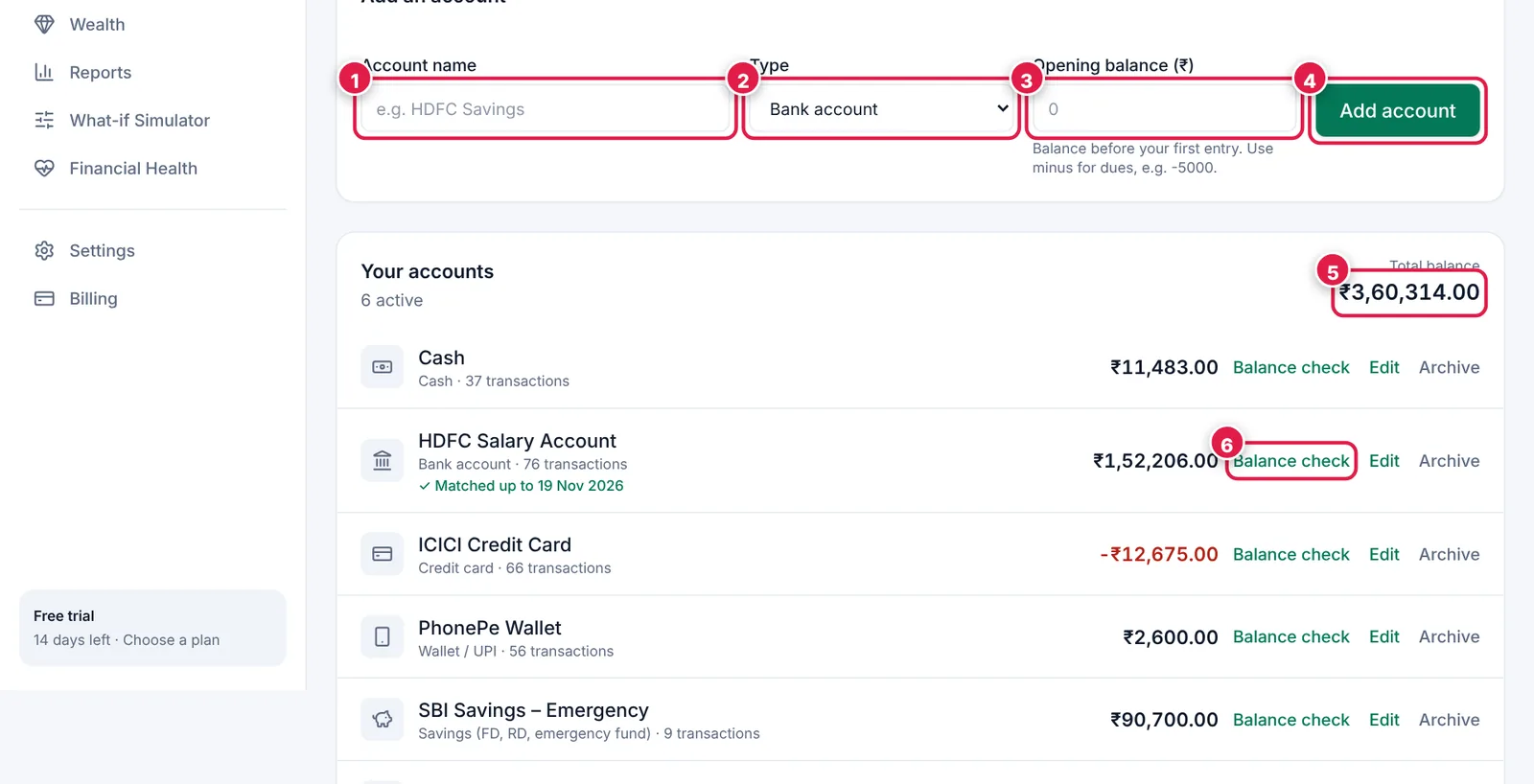
Add an account in one line; balances update automatically.
- 1. Account name.
- 2. Type — pick Savings or Investments for money you set aside.
- 3. Opening balance.
- 4. Add account.
- 5. Total across all accounts (credit card dues are subtracted).
- 6. Balance check — compare with your bank in seconds (Chapter 8).
Example
HDFC Salary Account (Bank) · ICICI Credit Card (Credit card) · PhonePe (Wallet) · Cash · SBI Savings – Emergency (Savings) · Zerodha – SIPs (Investments).
Ready? It takes about 3 minutes.
Start your free trial